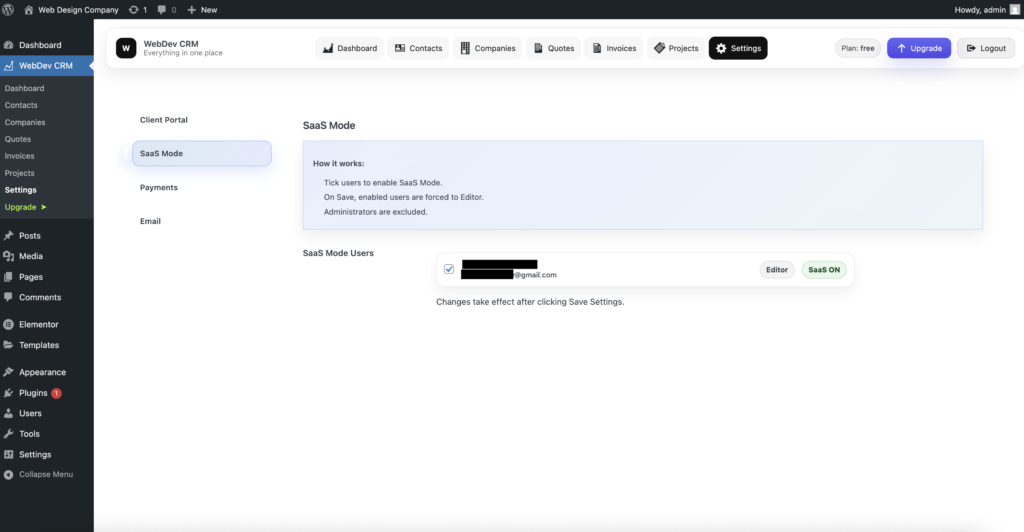
Enabling SaaS Mode
SaaS Mode provides a clean, application-style interface for selected users.
When enabled, the standard WordPress admin menus are hidden for those users, removing the left sidebar and top admin bar. This creates a focused, distraction-free experience that feels closer to a premium SaaS product - while still running entirely inside WordPress.
How SaaS Mode Works
SaaS Mode is applied on a per-user basis.
-
Select the users you want to enable SaaS Mode for
-
On save, those users are automatically set to the Editor role
-
Administrators are excluded and are never affected
Once enabled, users simply log in via wp-admin as normal. The interface adjusts automatically — no separate login or configuration is required.
Changes take effect after clicking Save Settings.

What Users Experience
For users with SaaS Mode enabled:
-
The WordPress left sidebar is hidden
-
The top admin bar is removed
-
Only WebDev CRM screens are visible
This results in a cleaner, more focused interface without limiting access to the tools they need.
Administrators continue to see the full WordPress admin interface and are unaffected by SaaS Mode.